> ## Documentation Index
> Fetch the complete documentation index at: https://docs.heysheet.in/llms.txt
> Use this file to discover all available pages before exploring further.
# Slack Notifications
> Get real-time form submission alerts directly in Slack
Get notified in **real-time** on Slack whenever someone submits your Heysheet form — perfect for teams who live in Slack.
No more switching tabs or missing leads. Bring your submissions where your team is already working.
***
## 🤖 How It Works
Once connected, Heysheet sends a message to your selected Slack channel with:
* Form name
* Submission timestamp
* All submitted field values
### Example Slack Message
***
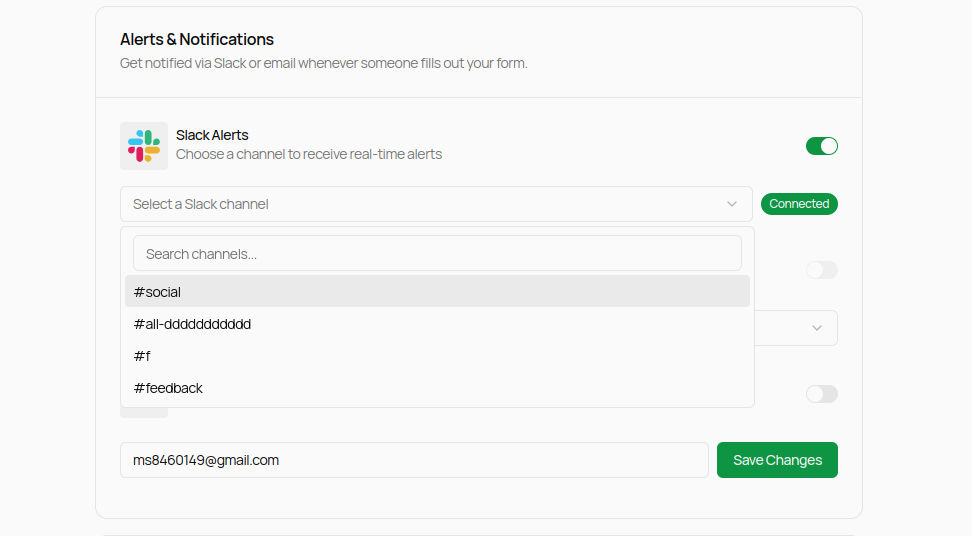
## ⚙️ How to Enable Slack Notifications
1. Go to the [Heysheet Dashboard](https://heysheet.in/dashboard)
2. Select the form you want to connect
3. Navigate to the **Alert & Integrations** section
4. Click on **Connect Slack**
5. Approve the Slack app and select the channel where notifications should be sent
6. Click **Save Changes**
***
### Slack Integration UI Preview
***
## ✅ Best Practices
* Use a dedicated Slack channel (e.g. `#form-alerts`) to avoid clutter
***
## 🛠 Troubleshooting
* Not seeing messages? Make sure:
* The Slack app is installed and approved
* The correct form and channel are selected
* Still need help? Email us at [support@heysheet.in](mailto:support@heysheet.in)
***
Looking for more integrations?\
Explore [Email Notifications](/notification/email) or [Webhooks](/integrations/webhooks) for custom workflows.
 ***
## ⚙️ How to Enable Slack Notifications
1. Go to the [Heysheet Dashboard](https://heysheet.in/dashboard)
2. Select the form you want to connect
3. Navigate to the **Alert & Integrations** section
4. Click on **Connect Slack**
5. Approve the Slack app and select the channel where notifications should be sent
6. Click **Save Changes**
***
### Slack Integration UI Preview
***
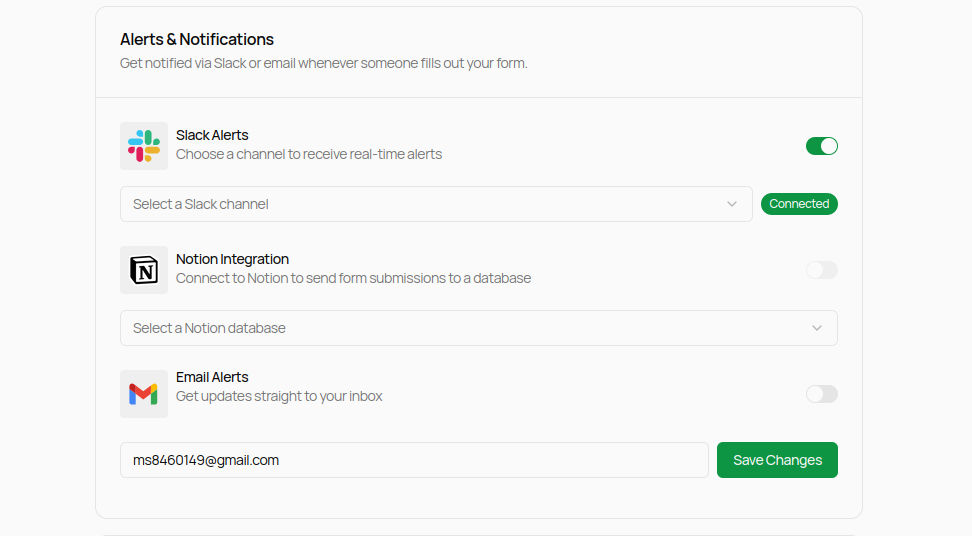
## ⚙️ How to Enable Slack Notifications
1. Go to the [Heysheet Dashboard](https://heysheet.in/dashboard)
2. Select the form you want to connect
3. Navigate to the **Alert & Integrations** section
4. Click on **Connect Slack**
5. Approve the Slack app and select the channel where notifications should be sent
6. Click **Save Changes**
***
### Slack Integration UI Preview
 ***
## ✅ Best Practices
* Use a dedicated Slack channel (e.g. `#form-alerts`) to avoid clutter
***
## 🛠 Troubleshooting
* Not seeing messages? Make sure:
* The Slack app is installed and approved
* The correct form and channel are selected
* Still need help? Email us at [support@heysheet.in](mailto:support@heysheet.in)
***
Looking for more integrations?\
Explore [Email Notifications](/notification/email) or [Webhooks](/integrations/webhooks) for custom workflows.
***
## ✅ Best Practices
* Use a dedicated Slack channel (e.g. `#form-alerts`) to avoid clutter
***
## 🛠 Troubleshooting
* Not seeing messages? Make sure:
* The Slack app is installed and approved
* The correct form and channel are selected
* Still need help? Email us at [support@heysheet.in](mailto:support@heysheet.in)
***
Looking for more integrations?\
Explore [Email Notifications](/notification/email) or [Webhooks](/integrations/webhooks) for custom workflows.