> ## Documentation Index
> Fetch the complete documentation index at: https://docs.heysheet.in/llms.txt
> Use this file to discover all available pages before exploring further.
# Connect Form to Notion Database: A Complete Guide
> Learn how to connect a form to a Notion database using Heysheet. This guide shows you how to use Heysheet as a Notion form backend to collect form data in Notion.
## Use Notion as a Form Backend
Heysheet allows you to **connect a form to a Notion database**, turning your Notion workspace into a powerful **Notion form backend**. This guide explains how to set up your form to send submissions directly to a Notion database without any server-side code.
### Why Use a Notion Form Backend?
Using Notion to **collect form data in Notion** is an excellent way to keep your information organized and accessible. It's a flexible solution that can be adapted to a wide variety of use cases, from simple contact forms to more complex data collection.
***
## How to Connect Your Form to a Notion Database
Follow these steps to integrate your form with Notion:
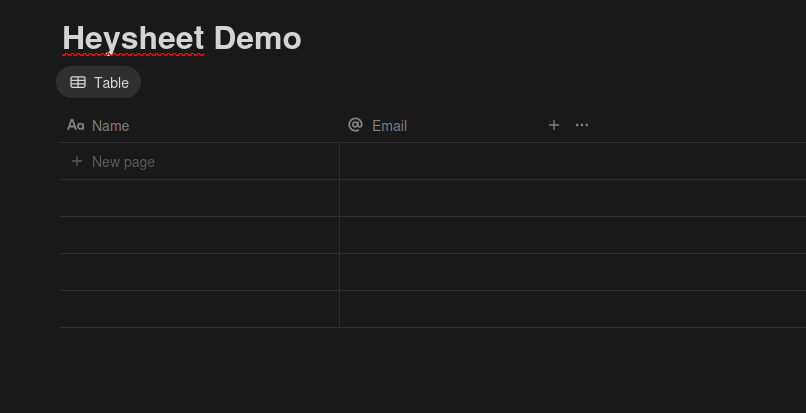
### 1. Set Up Your Notion Database
Create a new database in Notion and define the properties you want to collect from your form. The property names should match the `name` attributes of your form fields.
For example:
| Name | Email |
| ---- | -------------- |
| Text | Email Property |
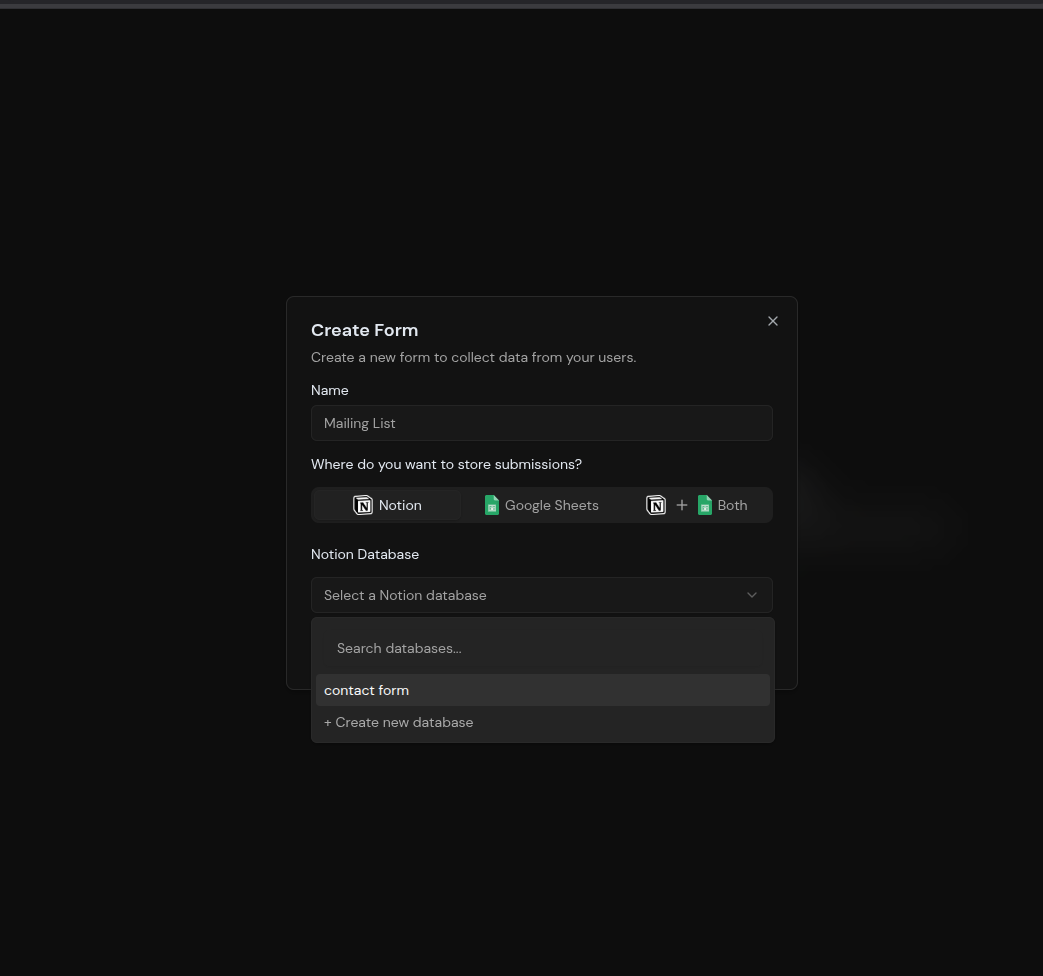
### 2. Create a Form in Heysheet
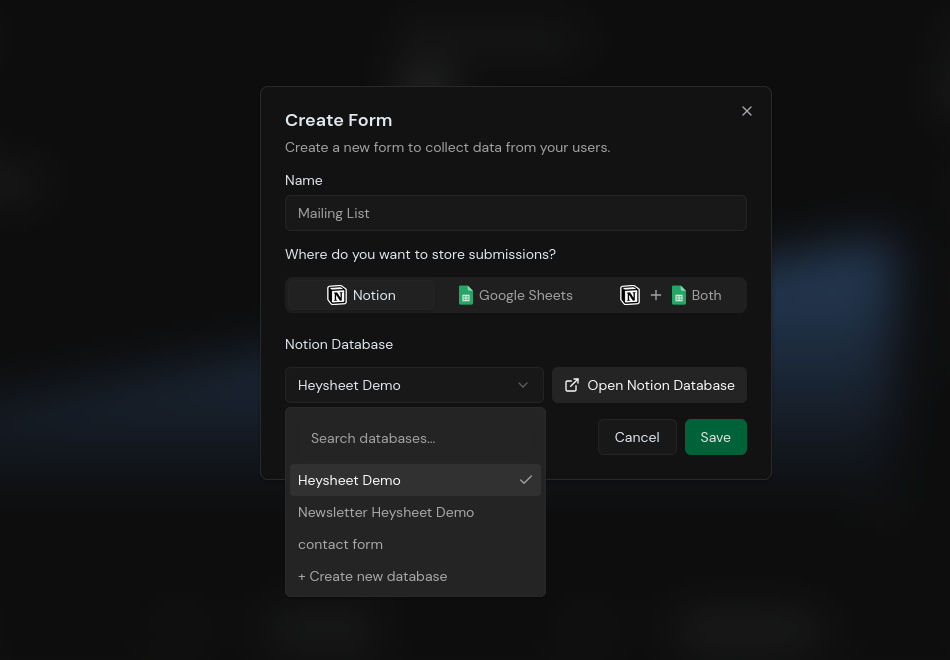
1. Go to the [Heysheet Dashboard](https://heysheet.in).
2. Click **"Create New Form"**.
3. Select **Notion** as the destination.
4. Connect your Notion account and choose the database you want to use.
### 3. Get Your Form Endpoint
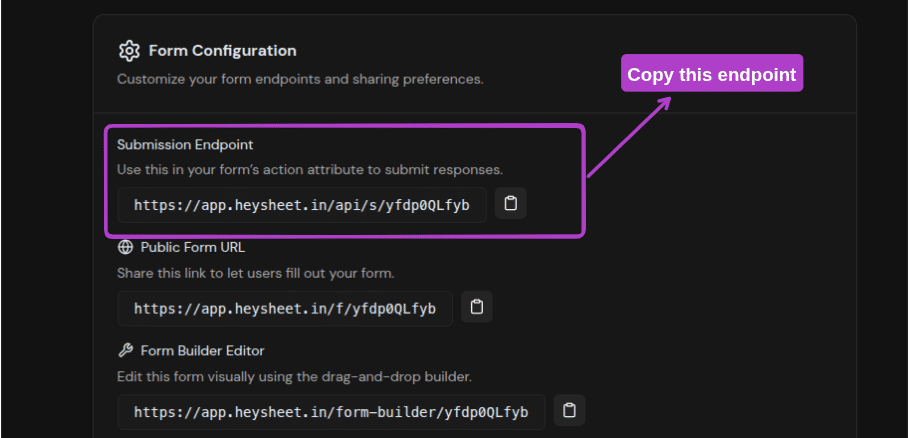
Heysheet will provide you with a unique URL that acts as a **form submission webhook**. You'll use this endpoint in your HTML form.
### 4. Configure Your HTML Form
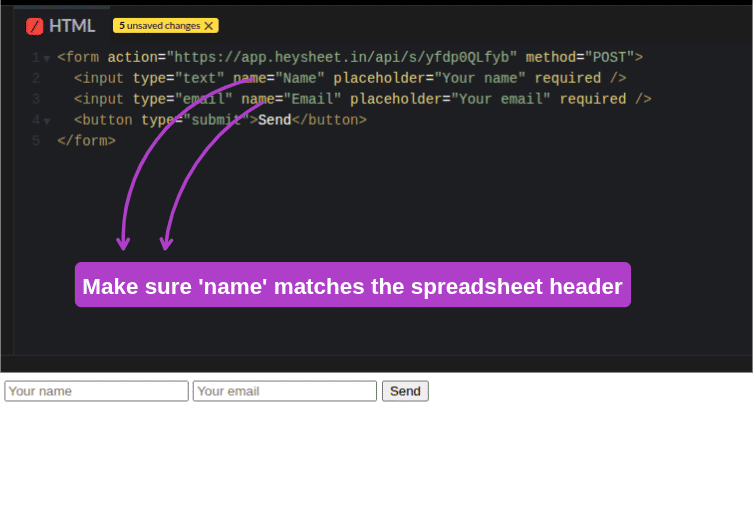
Update your form's `action` attribute to your Heysheet endpoint and set the `method` to `POST`.
```html theme={null}
```
**Important:** The `name` attributes in your form must match the property names in your Notion database.
### 5. Test Your Form
Submit a test entry. The data will be added as a new item in your Notion database instantly.
 ***
## Key Features of the Notion Integration
* **No Backend Needed:** Heysheet is a **simple form submission backend** that works out of the box.
* **Static Site Friendly:** The perfect **Notion form backend** for static sites and Jamstack applications.
* **Secure and Reliable:** We handle all the complexities of the Notion API for you.
* **Developer-Focused:** A powerful tool for developers who want to **handle form submissions with an API**.
***
## Use Cases for Notion Forms
* Contact forms
* Bug reports
* Feature requests
* User feedback
* Waitlists
Heysheet makes it easy to **collect form data in Notion** for any purpose.
***
## Key Features of the Notion Integration
* **No Backend Needed:** Heysheet is a **simple form submission backend** that works out of the box.
* **Static Site Friendly:** The perfect **Notion form backend** for static sites and Jamstack applications.
* **Secure and Reliable:** We handle all the complexities of the Notion API for you.
* **Developer-Focused:** A powerful tool for developers who want to **handle form submissions with an API**.
***
## Use Cases for Notion Forms
* Contact forms
* Bug reports
* Feature requests
* User feedback
* Waitlists
Heysheet makes it easy to **collect form data in Notion** for any purpose.