> ## Documentation Index
> Fetch the complete documentation index at: https://docs.heysheet.in/llms.txt
> Use this file to discover all available pages before exploring further.
# Google Sheets Form Integration: A Step-by-Step Guide
> Learn how to use Heysheet as a Google Sheets form integration tool to send form data directly to your spreadsheets. The perfect form backend for Google Sheets.
## Send Form Data to a Google Sheet
Heysheet offers a powerful **Google Sheets form integration** that allows you to use a spreadsheet as a **form backend**. This guide provides a step-by-step walkthrough of how to connect your HTML form to Google Sheets and start collecting submissions instantly.
### Why Use Google Sheets as a Form Backend?
Using Google Sheets to store form submissions is a simple and effective solution for many use cases. It eliminates the need for a complex database and provides a familiar interface for managing data. With Heysheet, you get a reliable **Google Sheets form API** that handles the entire process for you.
***
## How to Connect Your Form to Google Sheets
Follow these five steps to set up your **form submission to Google Sheets** integration:
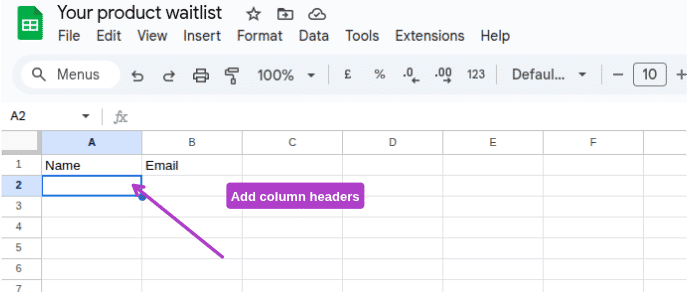
### 1. Prepare Your Google Sheet
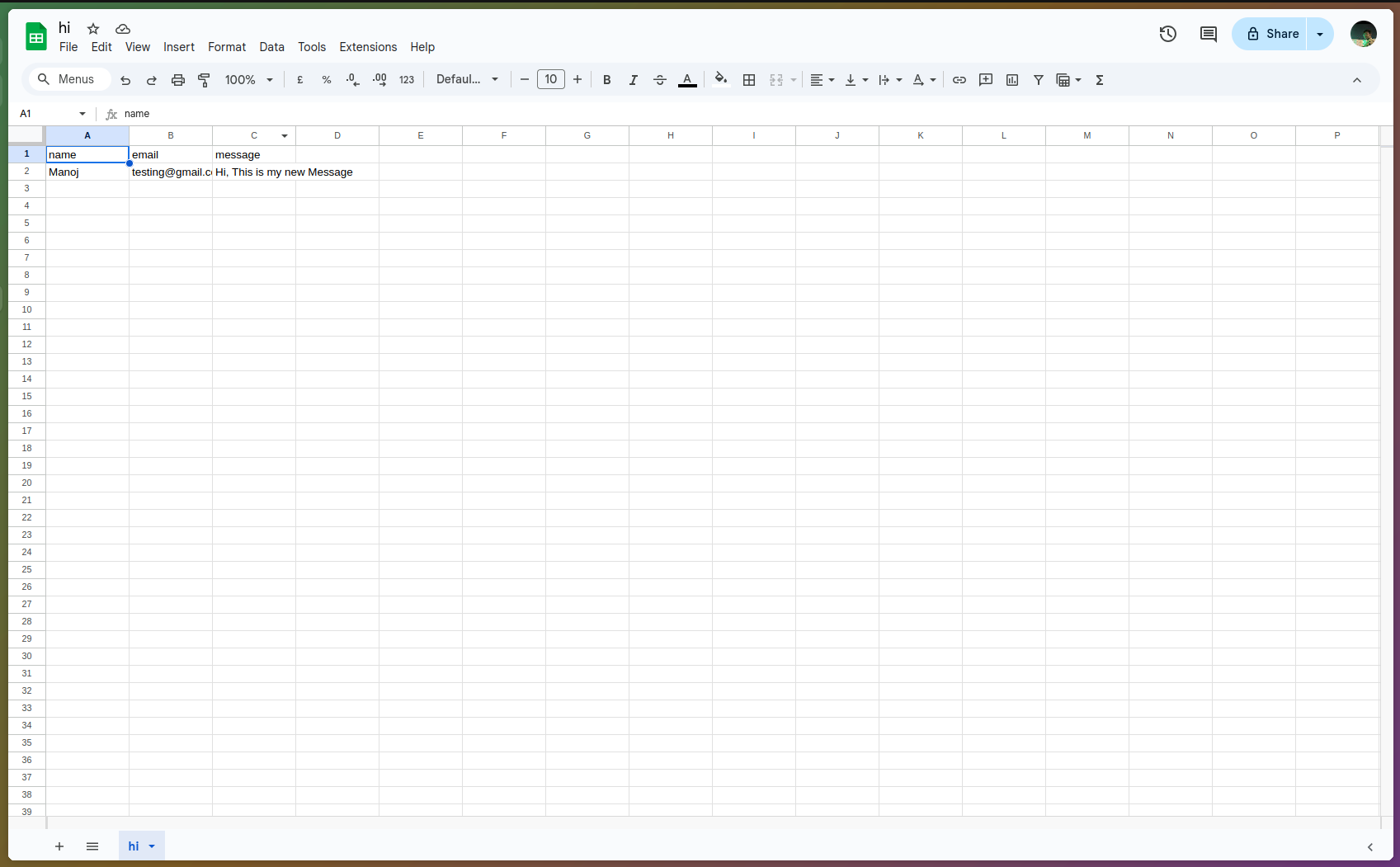
Create a new Google Sheet and define your column headers. These headers will correspond to the `name` attributes in your HTML form fields.
For example:
```
Name | Email | Message
```
### 2. Create a Form in Heysheet
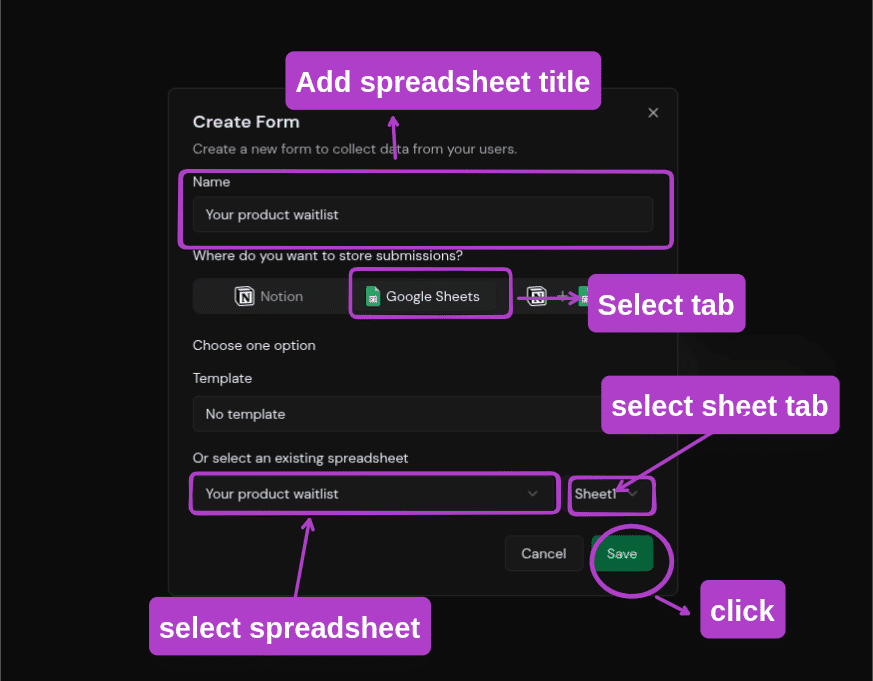
1. Navigate to the [Heysheet Dashboard](https://heysheet.in).
2. Click **"Create New Form"**.
3. Select the Google Sheet you just created.
### 3. Get Your Form Endpoint
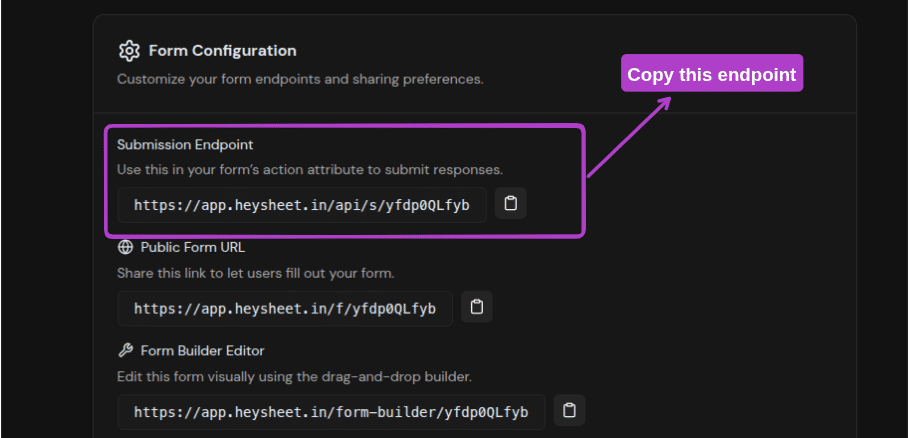
Heysheet will generate a unique **form endpoint for Google Sheets**. Copy this URL to use in your HTML form.
### 4. Update Your HTML Form
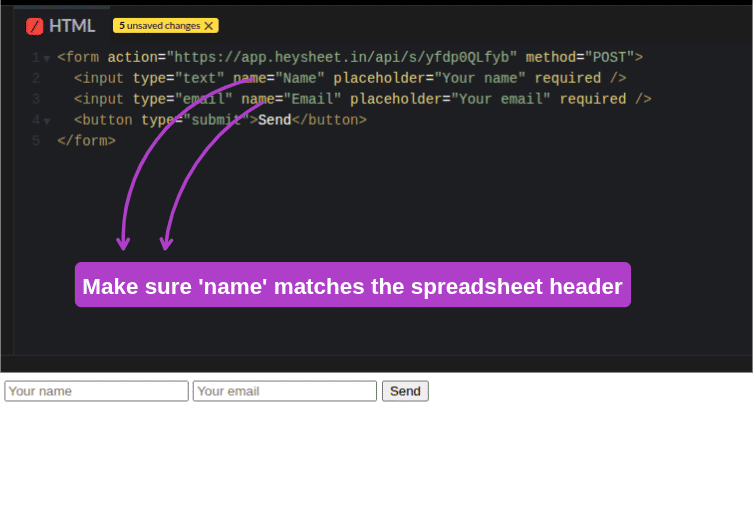
In your website's code, set the `action` attribute of your form to the Heysheet endpoint URL and the `method` to `POST`.
```html theme={null}
```
**Important:** The `name` attributes in your form must match the column headers in your Google Sheet exactly.
### 5. Test Your Integration
Submit a test entry through your form. The data will appear as a new row in your Google Sheet in real-time.
 ***
## Key Features of Heysheet's Google Sheets Integration
* **No Backend Required:** Heysheet serves as your **HTML form backend**, so you don't need to manage a server.
* **Works with Any Frontend:** Use it with plain HTML, React, Vue, or any other frontend framework.
* **Secure and Reliable:** All submissions are sent over a secure connection, and we offer spam protection features.
* **Free to Start:** Our **free Google Sheets form API** is perfect for personal projects and small businesses.
***
## Common Use Cases
* Contact forms
* Lead generation forms
* Surveys and feedback forms
* Event registrations
* Job applications
Heysheet is a versatile **Google Sheets form integration tool** that can be adapted to fit a wide range of needs.
***
## Key Features of Heysheet's Google Sheets Integration
* **No Backend Required:** Heysheet serves as your **HTML form backend**, so you don't need to manage a server.
* **Works with Any Frontend:** Use it with plain HTML, React, Vue, or any other frontend framework.
* **Secure and Reliable:** All submissions are sent over a secure connection, and we offer spam protection features.
* **Free to Start:** Our **free Google Sheets form API** is perfect for personal projects and small businesses.
***
## Common Use Cases
* Contact forms
* Lead generation forms
* Surveys and feedback forms
* Event registrations
* Job applications
Heysheet is a versatile **Google Sheets form integration tool** that can be adapted to fit a wide range of needs.